

Liquid Detected in Lightning Connector Not Wet? Here’s the Fix Guide

You’ve just plugged your iPhone into the charger, but instead of that familiar charging sound, you see an alert: “Liquid Detected in Lightning Connector.” Panic might set in — especially if your phone is not charging after water exposure. But don’t worry! This guide walks you through what’s really happening, why it appears even when your iPhone seems dry, and how to fix the liquid detected in lightning connector not wet issue effectively.
Let’s dive into the meaning behind “Emergency Override,” what to do (and what not to do), and how long it truly takes for your charging port to dry.
Table of Contents
- Part 1. What Does Emergency Override Mean?
- Part 2. Why Does My Phone Say Liquid Detected?
- Part 3. How Long Does Emergency Override Last?
- Part 4. How to Fix Liquid Detected in Lightning Connector Not Wet HOT
- Part 5. How to Dry Liquid in Lightning Connector If Wet
- Part 6. How Long Does It Take for Charging Port to Dry?
- Part 7. Is It Bad to Emergency Override iPhone Charging?
- Part 8. What NOT to Do When You See “Liquid Detected in Lightning Connector”
- FAQs About Liquid Detected in Lightning Connector
Part 1. What Does Emergency Override Mean?
The term “Emergency Override” can sound intimidating — like you’re overriding a safety mechanism. In a sense, that’s exactly what’s happening.
When your iPhone detects moisture or liquid in the Lightning port, it automatically blocks charging to protect your device from short-circuiting. However, sometimes you’ll see an option labeled “Emergency Override.”
So, what does Emergency Override mean? It’s Apple’s built-in bypass allowing you to force charge your iPhone despite the warning. You might need to use it in extreme situations — for example, when you must make an emergency call, your phone battery is critically low, and you can’t wait for the port to dry naturally.
Part 2. Why Does My Phone Say Liquid Detected?
If your iPhone suddenly says “Liquid Detected in Lightning Connector”, the reason can fall into two main categories: actual moisture or false detection.
1. Actual moisture inside the port:
- Maybe your phone got splashed near a sink or exposed to sweat in your pocket.
- Even steam or high humidity (like in a bathroom) can trigger the sensors.
2. False detection (dry port, still alert):
- A dirty or corroded port may mimic the same resistance pattern as moisture.
- Using a non-certified cable or damaged connector can also trigger the warning.
- Software glitches in recent iOS versions occasionally cause false positives.
Apple’s sensor measures electrical resistance in the Lightning connector pins. When it detects abnormal conductivity — even microscopic moisture — it shows the warning. So, even if the port looks dry, humidity or residue can confuse the system.
If your iPhone says liquid detected in Lightning connector but not wet, don’t panic. It’s common, and the fix is usually simple. Keep reading to learn how to test, dry, and reset your iPhone safely.
Part 3. How Long Does Emergency Override Last?
When you enable Emergency Override, your phone charges normally — but only for that session. Once you unplug the cable, the protection system resets.
In short:
- Emergency Override lasts until you disconnect the charger.
- The next time you plug in, the alert may reappear if the sensor still detects abnormal conductivity.
This design prevents long-term risk by forcing you to confirm the port is dry each time. If the alert keeps returning, don’t rely on repeated overrides. You may be facing debris buildup, corrosion, or a hardware sensor fault that needs attention.
Part 4. How to Fix Liquid Detected in Lightning Connector Not Wet
Sometimes, users report liquid detected in lightning connector even when their phone hasn’t been exposed to water at all. This false alert can be frustrating, but it’s often caused by environmental or hardware factors. Here’s how to fix it:
1. Check your Lightning cable and adapter
Faulty or corroded accessories can cause false detections. Try another official or certified cable. Wipe both ends of the cable with a dry microfiber cloth before plugging it in.
2. Restart your iPhone
A quick reboot can clear temporary software bugs causing the alert. Turn it off, wait a minute, then turn it back on.
3. Clean the port gently
Use a dry, soft-bristle brush or compressed air (light bursts only) to remove dust or lint. Never insert metal objects into the Lightning connector.
4. Use wireless charging temporarily
If your iPhone liquid detected in lightning connector but not wet, opt for a MagSafe or Qi wireless charger until the issue resolves.
Each of these methods works best when combined with patience. The goal isn’t just to remove the warning but to ensure your device remains safe and functional long-term.
That’s why many iPhone users trust Charmast — a brand known for its durable, safety-certified fast and portable power banks. Whether it’s the Charmast 10000mAh Slim Power Bank for travel or the Charmast 20000mAh Battery Pack for multi-device charging, these reliable accessories ensure stable power delivery and full protection from overcurrent, overheating, and short circuits. When you’re using dependable gear, your iPhone’s charging system stays safer — and “liquid detected” warnings appear far less often.
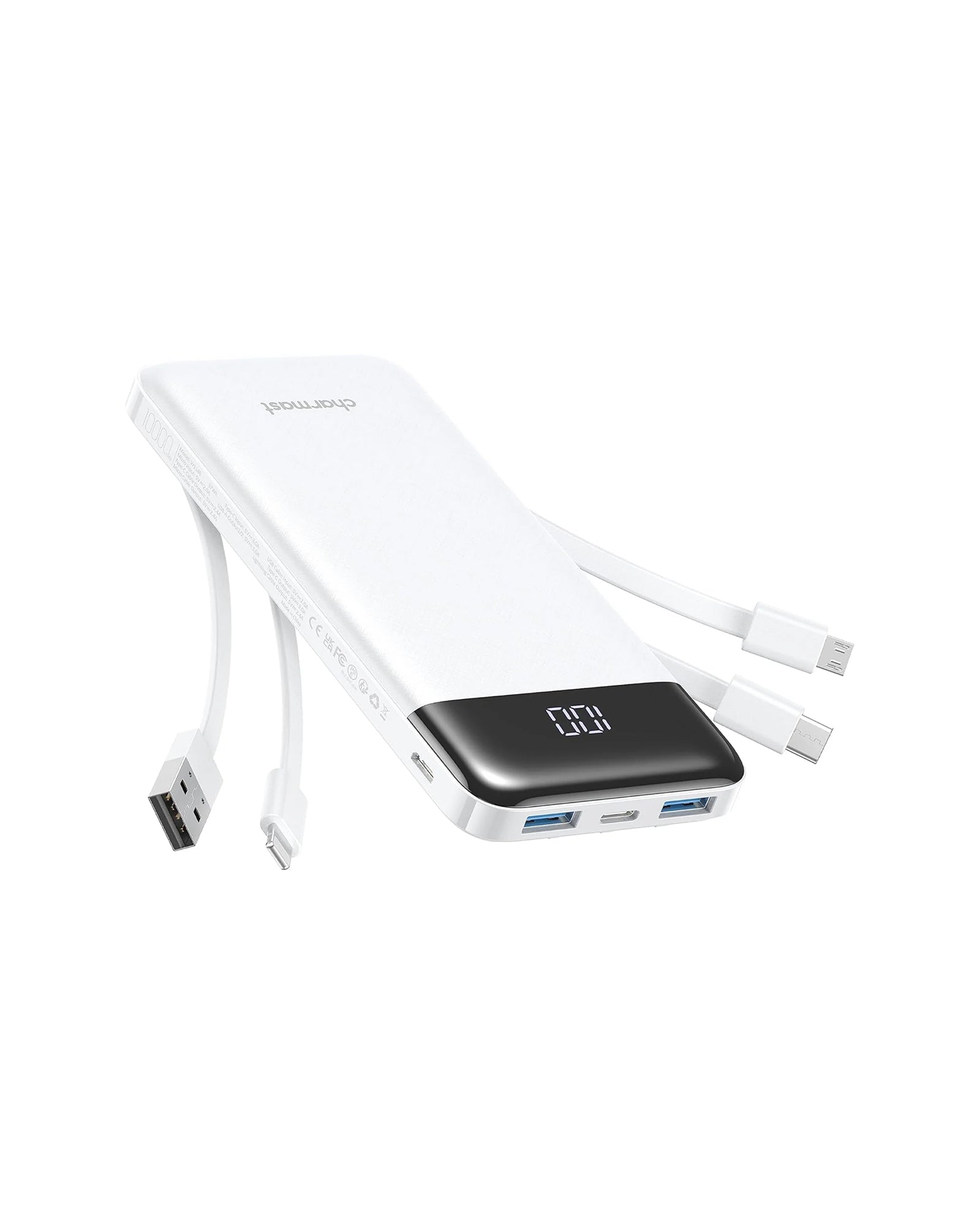
Ultra Compact | 6 Outputs 3 Inputs | 20W PD Fast Charging | Perfect for travel and everyday carry.

Charmast 20000mAh Slim Power Bank with Built in Cables
22.5W fast charging| 6 outputs, 3-in-1 cables| Works with Virtually All Your Devices
Part 5. How to Dry Liquid in Lightning Connector If Wet
If your iPhone displays liquid detected in lightning connector because moisture, it’s essential not to panic. The key is to dry the port properly — safely and patiently. Here’s how to do it the right way:
1. Unplug all accessories immediately. Disconnect the Lightning cable and any connected headphones or adapters.
2. Power off your iPhone. This reduces the risk of short-circuiting.
3. Let it air dry naturally. Place the phone upright in a dry area with good airflow. Do not insert anything into the port — that can push water further inside.
4. Use gravity and gentle movement. Gently tap your phone (Lightning port facing down) to help remove trapped droplets.
5. Avoid using heat. Hair dryers, ovens, or heaters can warp the internal components. Instead, let time do the work.
6. Try the “vibration method.” Believe it or not, some users use a vibration to get water out of phone charging port by playing low-frequency sounds (around 165Hz). Certain apps or websites can generate these vibrations to help shake out trapped moisture.
After drying, wait at least 30 minutes to several hours, depending on exposure level. Then, try charging again. If you still see the warning, more drying time may be needed.
Part 6. How Long Does It Take for Charging Port to Dry?
The answer varies based on temperature, humidity, and how much liquid entered the port.
- Minor exposure (like humidity or a few drops): 30 minutes to 2 hours.
- Heavy exposure (submersion or spills): 4 to 24 hours.
If you’re in a rush, placing the phone in a cool, dry environment or using a gentle airflow (not heat) can speed up evaporation.
You can also place the device near a fan or use silica gel packets around the iPhone — but avoid rice, as dust from grains can worsen the issue.
Patience is your best ally here. Charging too early can risk permanent damage to your Lightning port.
Part 7. Is It Bad to Emergency Override iPhone Charging?
Yes — and no. Using the Emergency Override feature isn’t inherently bad, but it should be your last resort.
When you emergency override charging, your iPhone ignores moisture detection and sends electrical current through the port. If even a trace of water remains, it could:
- Corrode the pins inside your Lightning connector
- Permanently damage the charging IC (integrated circuit)
- Reduce overall battery health
However, if you’re certain the port is dry (for instance, you’ve waited over 12 hours in a low-humidity environment), using Emergency Override once or twice is generally safe.
The real danger lies in repeatedly using it without confirming dryness — that’s when “temporary convenience” becomes expensive damage.
Part 8. What NOT to Do When You See Liquid Detected in Lightning Connector
When faced with the alert, there are a few critical mistakes to avoid:
- ❌ Don’t blow hot air into the port — it can push moisture deeper or melt delicate components.
- ❌ Don’t insert cotton swabs or metal objects — they can damage the sensors.
- ❌ Don’t keep retrying the charger immediately — repeated attempts can short the circuit.
- ❌ Don’t ignore the alert — even if your phone seems dry, corrosion might be silently building up.
Instead, always follow safe drying steps and use wireless charging if necessary. Your phone’s sensors are designed to protect it, not annoy you.
FAQs About Liquid Detected in Lightning Connector
1. Is it safe to charge when “Liquid Detected in Lightning Connector” shows?
No — not until you’re absolutely sure the port is dry. Charging too soon risks corrosion or permanent damage.
2. Can a Lightning cable cause Liquid Detected in Lightning Connector on its own?
Yes. A worn-out or damaged Lightning cable can mimic the same resistance changes caused by moisture. Try another cable to verify.
3. How do I know if the port is permanently damaged?
If the warning persists after multiple dry attempts and cable swaps, or your phone not charging after water even after 24 hours, the internal pins might be corroded. Visit an Apple Store or authorized repair center for inspection.
Final Thoughts
Dealing with a liquid detected in lightning connector alert can be stressful, especially when you rely on your iPhone daily. But as you’ve seen, this message doesn’t always mean disaster — it’s your phone’s way of protecting itself.
The key takeaway? Never rush charging, give the port time to dry, and avoid using Emergency Override unless absolutely necessary. And when it comes to charging accessories, quality matters more than ever.
That’s where Charmast comes in. Known for premium, safety-certified portable chargers and cables, Charmast offers reliable fast-charging power banks that protect your devices from overcurrent, overheating, and short-circuit risks. Whether you’re traveling, working, or just need backup power, Charmast ensures your iPhone stays charged — safely and efficiently.
So next time you face the “liquid detected in lightning connector but not wet” alert, remember: prevention, patience, and proper accessories make all the difference.