

Quick Fix: This Accessory Uses Too Much Power Error [iOS 26/18]

If you’ve ever plugged in a charger or gadget and suddenly saw “This accessory uses too much power” flash across your iPhone or iPad screen, you’re not alone. It’s one of those frustrating moments when all you want is a quick charge, and instead you get a tech headache.
This issue is especially common with newer iOS versions — like iOS 18 or even the upcoming iPhone 17 series — and often pops up when using third-party accessories, adapters, or older power banks.
Let’s walk through what “This accessory uses too much power” actually means, why it happens, and exactly how to fix “This accessory uses too much power” step-by-step — so you can get back to charging without worry.
Table of Contents
- What “This Accessory Uses Too Much Power” Actually Means
- Why Does It Say This Accessory Uses Too Much Power?
- How to Fix This Accessory Uses Too Much Power with Best 6 WaysHOT
- Is It Safe to Ignore “This Accessory Uses Too Much Power”?
- How to Avoid This Accessory Uses Too Much Power Message
- When to Consider Replacing or Repairing the Accessory or Device
- FAQs about This Accessory Uses Too Much Power Error
What “This Accessory Uses Too Much Power” Actually Means
In simple terms, your iPhone or iPad is warning you that the connected device — whether it’s a USB adapter, keyboard, flash drive, or even a power bank — is drawing more power than your Apple device can safely provide.
Every iPhone and iPad has a limit on how much current (measured in milliamps) it can supply to accessories. When that limit is exceeded, your device blocks the connection to protect its hardware. That’s when you’ll see the error message.
In newer devices like iPhone 17/16/15 or iPad Pro, the message can appear when:
- The accessory requires more power than the Lightning or USB-C port can provide.
- There’s a fault or mismatch between the accessory and the iOS system.
- The connection port or cable is damaged or dirty.
Why Does It Say “This Accessory Uses Too Much Power”?
If you’re wondering why does it say this accessory uses too much power, the reason usually falls under one of these categories:
- The accessory is underpowered or incompatible: Cheap, off-brand devices — especially USB fans, LED lights, and external drives — often don’t meet Apple’s power specifications.
- Your iPhone or iPad is low on battery: When your battery is below 20%, your device prioritizes charging itself over powering external accessories.
- You’re using a weak or damaged cable: A frayed cable or one not designed for high power output can trigger the “this accessory uses too much power when charging iPhone” message.
- Dust or corrosion in the charging port: Even a thin layer of debris can interfere with the connection, causing the iPad or iPhone to misread the accessory’s power needs.
- Outdated iOS or firmware bugs: Occasionally, iOS updates cause glitches that misinterpret an accessory’s power draw.
How to Fix “This Accessory Uses Too Much Power” with Best 6 Ways
Here’s the part you’ve been waiting for — how to fix “This accessory uses too much power” in real, actionable steps. Each one builds on the last, so try them in order.
Way 1. Use High-Quality Chargers
Low-quality chargers and cables are one of the most common reasons for seeing “this accessory uses too much power” alerts. Using a cheap charger may seem convenient, but it can overdraw current, damage your device, or constantly trigger the error.
To prevent this, it’s best to use high-quality chargers that are compatible with multiple devices. For instance, the Charmast Portable Charger is an excellent all-in-one solution.
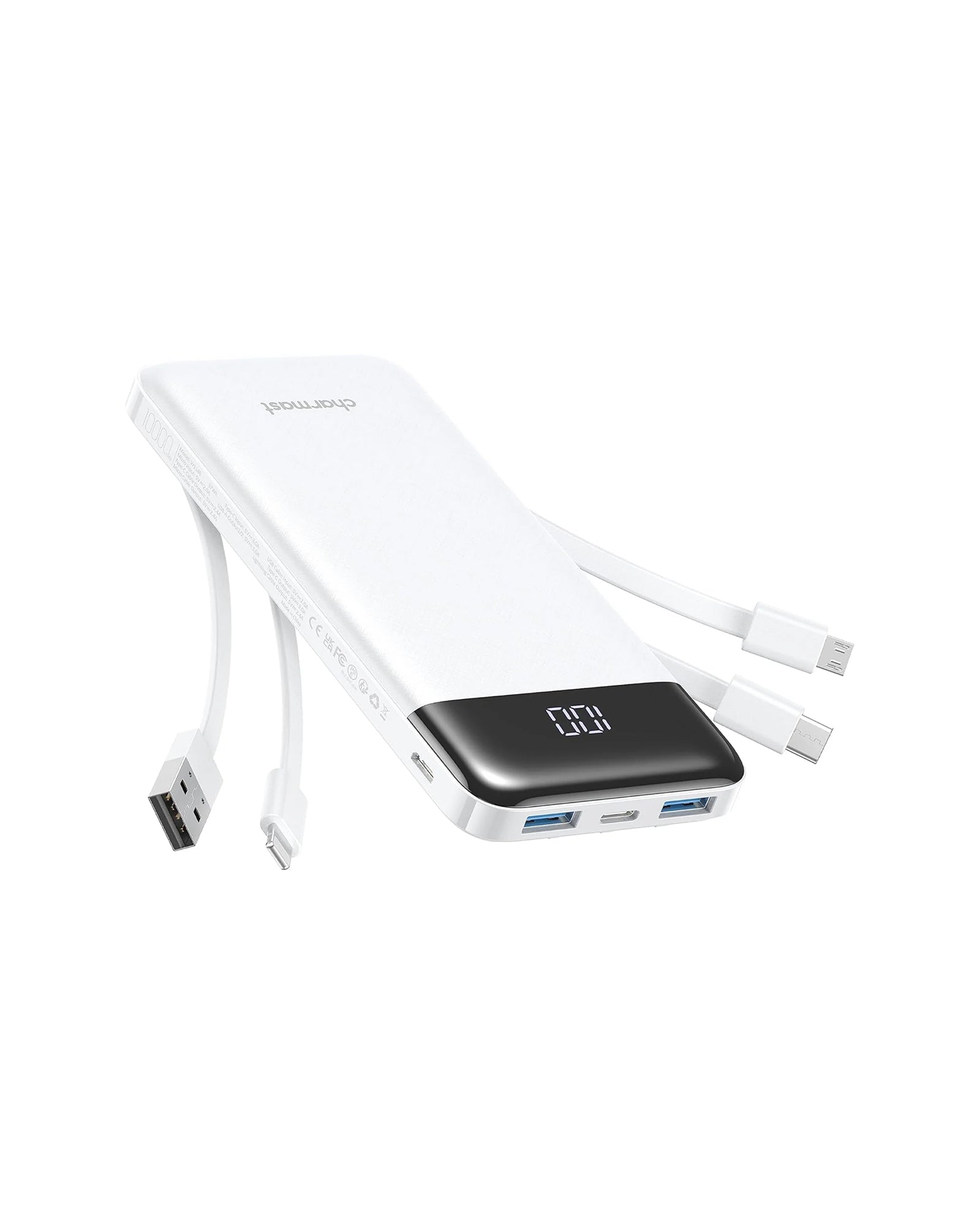
Perfect as a portable charger for iPhone, battery pack charger portable, or Christmas gift. Using it prevents the error alerts and keeps your devices powered safely.
Way 2. Unplug and Reconnect Everything
Sometimes the simplest fix works best.
- Disconnect the accessory and wait 10 seconds.
- Reconnect it firmly and ensure the connector is clean and tight. This helps your iPhone or iPad re-establish a stable current flow.
Way 3. Try a Powered USB Hub
If you’re using USB accessories (especially with iPads), plug them into a powered USB hub instead.
This lets the hub supply its own energy source, removing the load from your iPhone or iPad.
You’ll often see this fix recommended in Apple communities for people using MIDI keyboards, flash drives, or microphones.
Way 4. Clean the Charging Port
Yes, really — a dirty port can be the culprit.
- Use a soft, dry brush or toothpick to gently remove lint or dust.
- Never use metal tools, as they can damage internal pins.
A cleaner connection ensures stable power transfer and prevents false error messages like “iPad says this accessory uses too much power.”
Way 5. Restart or Update Your Device
Glitches happen.
- Restart your iPhone or iPad to reset its power management system.
- Check for iOS updates under Settings → General → Software Update. If you’re on iOS 18 or the beta for iOS 26, early builds can sometimes misread power accessories.
Way 6. Charge Your Device Before Plugging in Accessories
If your device battery is low, plug it into a charger first — ideally a high-output charger or power bank. Once it’s above 50%, try connecting the accessory again.
This helps the device allocate enough power safely and can instantly clear the error.
Is It Safe to Ignore “This Accessory Uses Too Much Power”?
You could ignore the message temporarily — but it’s not a great idea.
While it might seem harmless, forcing your iPhone or iPad to power an over-demanding accessory can cause:
- Overheating of internal circuits
- Accelerated battery wear
- Potential damage to both device and accessory
So, if you see “this accessory uses too much power” on iPhone 17/16/15 or other lineups, take it seriously. It’s Apple’s way of keeping your hardware safe — not an inconvenience.
How to Avoid This Accessory Uses Too Much Power Message
Prevention is better than fixing. Here’s how to avoid running into the problem again:
- Use quality chargers and cables. Avoid cheap cables that overheat or underdeliver.
- Keep your ports clean. Regularly clean Lightning or USB-C connectors.
- Avoid daisy-chaining accessories. Don’t stack adapters or connect multiple accessories through a single hub.
- Check compatibility. Look up whether your device supports the accessory’s power rating.
If you frequently use power-hungry devices, invest in a high-efficiency power bank — like the ones from Charmast — which are designed to balance fast output with safe current control.

When to Consider Replacing or Repairing the Accessory or Device
If you’ve tried everything and “This accessory uses too much power” keeps returning, it might be time for replacement. Here’s how to tell what’s faulty:
- If multiple accessories trigger the same message → your device’s port or logic board may need repair.
- If only one accessory causes it → the accessory’s internal circuit is likely the problem.
You can test by connecting the same accessory to another device. If it works there, your iPhone’s power management chip might be struggling.
At this point, consider a quick diagnostic at an Apple Store or trusted repair center.
FAQs about This Accessory Uses Too Much Power Error
Will using a better charger fix the “this accessory uses too much power” error?
Yes — a better charger or high-quality power bank can often fix this issue, especially when the problem happens during charging. A stable power source ensures your iPhone doesn’t limit accessory current draw.
Can a dirty port cause “this accessory uses too much power”?
Absolutely. Even a small amount of lint can cause inconsistent contact, leading your iPhone or iPad to misread the accessory’s power needs.
Does this message mean the accessory is defective?
Not always. Sometimes the accessory simply draws more power than your iPhone can deliver, even if it’s working fine on a computer or tablet.
Could a faulty accessory drain power?
Yes, defective accessories may continue drawing current even when idle. Over time, this can drain your phone battery faster or even trigger thermal throttling.
Conclusion
The “This accessory uses too much power” message isn’t the end of the world — it’s just your iPhone or iPad’s way of protecting itself.
By understanding why it says this accessory uses too much power, following the step-by-step fixes, and investing in reliable power banks or certified accessories, you can keep your devices safe and your charging routine effortless.
For a worry-free charging experience, Charmast power banks are designed to deliver optimal current, smart protection, and universal compatibility — whether you’re on iPhone 15 or prepping for iPhone 17.