
Why Is My Phone Charging Backwards? Powerful 2026 Guide

You plug in your phone, expecting the battery percentage to rise… but instead, it drops.
Your phone feels warm, the charging icon flickers, or worse — the battery percentage drains even faster than before.
This strange issue, often described as “Why is my phone charging backwards”, is becoming increasingly common as charging technology evolves.
The good news? Most cases are fixable without replacing your phone, and this guide will walk you through the real causes, proven fixes, and when it’s actually not a problem at all.
Let’s solve this once and for all.
Table of Contents
- How to Tell If Your Phone Is Actually Charging Backwards
- Why Is My Phone Charging Backwards?HOT
- How to Fix Phone Charging Backwards on iPhone
- How to Fix Phone Charging Backwards on Android
- When It’s Not a Bug: Reverse Wireless Charging Confusion
- Risks & Impacts of Charging Backwards
- How to Avoid Phone Is Charging Backwards in the Future
- FAQs about Phone Is Charging Backwards
How to Tell If Your Phone Is Actually Charging Backwards
Before diving into causes, it’s important to confirm whether your phone is charging backwards or if it only looks that way.
Real backward charging means:
- The battery percentage keeps dropping even while plugged in.
- The charging icon may flicker, turn on/off, or disappear.
- The phone feels unusually warm.
- The charger or port feels loose or unstable.
Often, users think “my phone is charging backwards” when the real issue is simply extremely slow charging — where the phone is losing power faster than the charger can supply.
For example: Gaming, video calls, hot environments, and weak chargers can all create the illusion of reversed charging. But if the battery drops steadily, it’s time to diagnose.
Now let’s explain why this happens.
Why Is My Phone Charging Backwards?
If you search “why is my phone charging backwards”, the answer usually falls into a few categories — power inefficiency, hardware issues, software glitches, or wrong charging modes.
Here are the most common reasons, explained simply:
- Charger Can’t Keep Up – Weak or old chargers may supply less power than your phone consumes, causing the battery to drop.
- Damaged Cable or Port – Frayed cables, bent connectors, or dust can interrupt charging.
- Software or Battery Misreading – Glitches, updates, or overheating can show reverse charging even if the battery isn’t truly losing power.
- Wireless Reverse Charging Confusion – Phones may send power to earbuds or other devices if reverse charging is accidentally enabled.
- Overheating – High temperatures reduce charging efficiency, sometimes creating a backwards-charging effect.
- Battery Aging – Older or swollen batteries may drain faster than they charge.
- Reverse Charging Settings Turned On – Android phones may discharge rapidly if reverse charging is activated.
- Faulty Adapter or Power Source – Cheap or unstable chargers can confuse the phone’s power management, causing apparent battery loss.
To avoid backward charging from weak adapters or ports, use a reliable high-capacity charger like the Charmast portable charger, which provides consistent power and keeps your devices safe on the go.
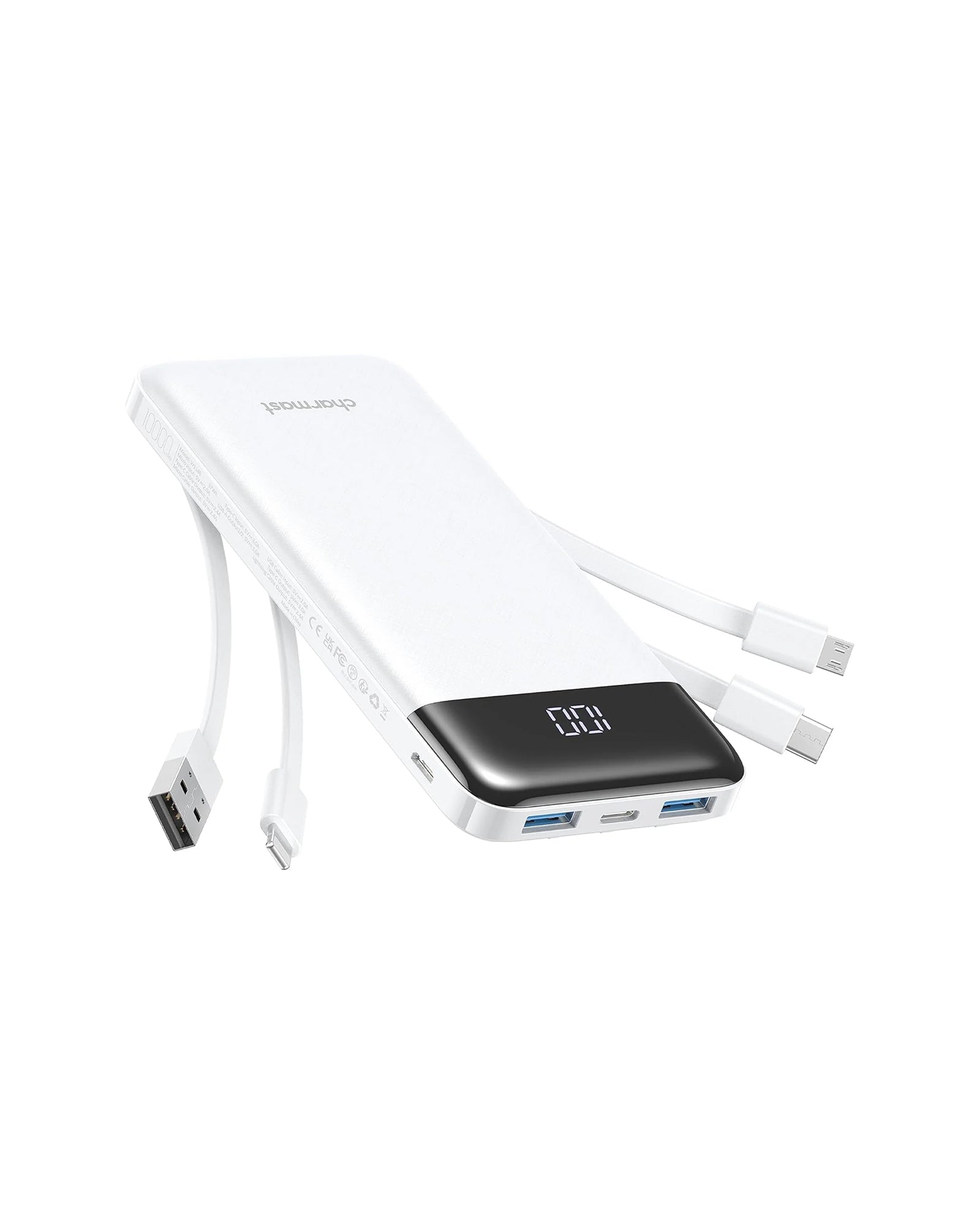
Ultra Compact | 6 Outputs 3 Inputs | 20W PD Fast Charging | Perfect for travel and everyday carry.

Charmast 20000mAh Slim Power Bank with Built in Cables
22.5W fast charging| 6 outputs, 3-in-1 cables| Works with Virtually All Your Devices
Read More: Why is My Phone Charging So Slow and Dying Fast?
How to Fix Phone Charging Backwards on iPhone
If you search for how to fix phone charging backwards, especially iPhone charging backwards, this section is for you.
Fix 1: Check your power adapter
iPhones require at least a 20W USB-C power adapter. If you use a 5W or 10W old brick, your phone may drain instead of charging — especially during heavy use.
Try:
- A certified 20W or 30W charger
- Apple original or MFi-certified accessories
- Plugging directly into a wall outlet, not an extension cord
This alone fixes 60% of backward-charging issues.
Fix 2: Replace the charging cable
A failing Lightning cable is another very common cause. When the cable is loose, discolored at the connector, or frayed, your iPhone receives unstable voltage — which can look like reversed charging or battery drain.
Replacing it with an MFi-certified Lightning to USB-C cable usually restores stable charging instantly. Avoid ultra-cheap cables, as they often deliver inconsistent current.
Fix 3: Clean the Charging Port
iPhones collect lint inside the port extremely easily, and even a thin layer of dust can stop the connectors from making proper contact.
Use a wooden toothpick or a soft brush to gently clear out debris. Avoid metal tools at all costs. Once the port is clean, most users notice an immediate improvement in charging stability.
Fix 4: Reset the Charging System
Software glitches can cause false charging status. Simply restart your iPhone or perform:
Volume Up → Volume Down → Hold Power until the Apple logo appears.
Fix 5: Enable Low Power Mode
If your battery is draining faster than it charges, enabling Low Power Mode reduces background activity so your phone actually gains charge instead of losing it. It’s not a permanent fix, but it stabilizes the charging behavior while you troubleshoot.
How to Fix Phone Charging Backwards on Android
Android devices often face why is my phone charging backwards on Android issues because of cable quality variations and reverse charging features.
Fix 1: Turn OFF Reverse Charging
Many Android phones (Samsung, Xiaomi, Huawei) have wireless reverse charging, wired reverse power transfer, or OTG charging and activate this accidentally, go to: Settings → Battery → Reverse Charging, then turn it OFF.
Fix 2: Switch to a fast-charging adapter and cable
Android fast charging has more variations:
- QC
- PD
- SuperCharge
- Dart/VOOC
- Warp/HyperCharge
If your charger doesn’t match your phone’s protocol, you’ll get extremely slow charging or battery drain. Try:
- A 20W–30W PD charger
- A USB-C to USB-C cable that supports fast charging
- Brands like Charmast, Anker, Baseus, etc.
Fix 3: Close background apps and enable Battery Saver
Apps like TikTok, GPS, and games consume more power than your charger delivers.
Closing all apps + enabling Battery Saver fixes charging reversal in many cases.
Fix 4: Check for Android system bugs via software update
Power-management bugs are common after system updates. A pending software update may include fixes for charging or battery-calibration issues.
Go to Settings → System → Software Update and install any available patches. Many users report that updating alone resolved their reversed-charging problem.
When It’s Not a Bug: Reverse Wireless Charging Confusion
Sometimes your phone isn’t “charging backwards” — it’s charging another device instead.
Reverse wireless charging allows your phone to power:
- AirPods
- Another phone
- Smartwatch
- Wireless accessories
If you’ve ever placed your earbuds or another phone on the back of your device, the setting might turn on automatically.
Always check your quick toggles first before panicking.
Risks & Impacts of Charging Backwards
When your phone appears to charge backwards, the risk varies depending on the cause.
Here’s what’s actually dangerous:
- Overheating can permanently degrade the battery.
- Damaged cables/ports can cause short circuits.
- A failing battery can swell and become hazardous.
- Using weak or fake chargers stresses internal components.
What’s not dangerous:
- Software glitches
- Misread battery percentages
- Reverse wireless charging (when controlled)
Just remember: backward charging is a symptom — not a cause. The real issue is always deeper.
How to Avoid Phone Is Charging Backwards in the Future
You shouldn’t have to guess every time you plug in your device. The best approach is prevention.
Here are long-term habits that significantly reduce the chances of seeing phone is charging backwards again:
- Use reliable, high-watt chargers — low-power ports are the biggest culprits.
- Keep your charging ports clean and dry.
- Avoid charging during gaming or video calls.
- Watch out for overheating, especially in hot climates.
- Restart your phone weekly to reset battery calibration.
- Replace cables before they physically fail.
- Update iOS/Android regularly.
Most importantly, always carry a trustworthy backup.
And that brings me to one recommendation.
FAQs about Phone Is Charging Backwards
How do I know if my battery is bad or worn out?
If your phone drains unusually fast, refuses to climb above certain percentages, or shuts off suddenly, your battery health may be degraded.
Does my phone support reverse charging by mistake?
Most newer Androids and USB-C iPhones support it. Check quick toggles or battery settings.
Is reverse charging harming my battery?
No — but using it frequently increases heat, which does accelerate battery aging.
Final Thoughts
A phone that seems to “charge backwards” is frustrating — but in 2025, it’s almost always fixable. Whether it’s a weak charger, damaged cable, software glitch, or reverse charging confusion, you now know exactly how to diagnose and repair the issue.
And if you want stable, reliable charging anywhere — without depending on weak wall outlets, PCs, or unstable adapters — a Charmast portable charger gives you consistent power every time.